
Mobile Inventory Counting System | How to Use Mobile Stocktaking? eRunlite Upgrade – Walk a Lap and Complete Your Count – Full Review
Month-end stocktaking is a recurring nightmare for every retail store. Pharmacy staff count pills until their eyes blur, fashion boutique employees tally garments until dawn, and supermarket workers push carts until their legs ache—traditional counting methods are not just a massive drain on manpower and time; they also lead to frequent errors that require restarting, followed by manual data entry into computers, dragging the entire process out for days.
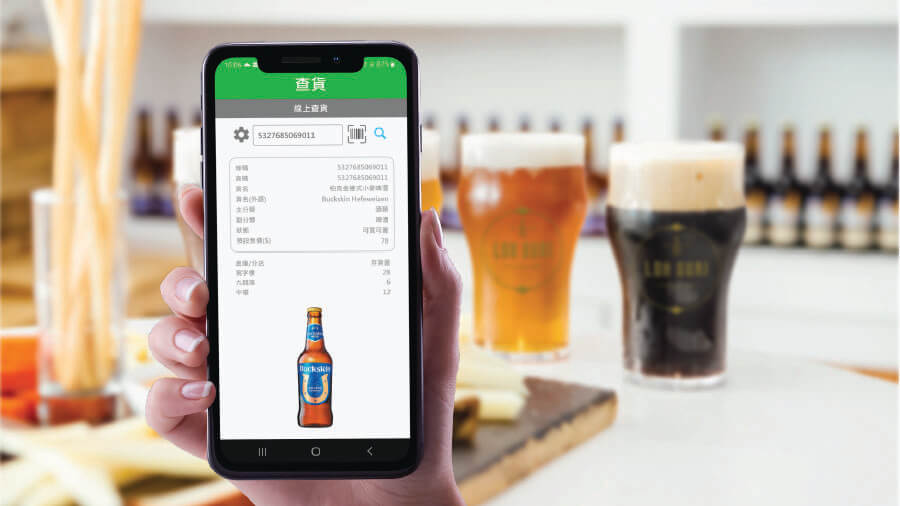
The upgraded eRunlite POS Mobile Inventory Module transforms stocktaking from a tedious chore into a fast and effortless task. Staff simply grab their phones, take a walk around, and “beep” barcodes on shelves—data uploads to the cloud in seconds, and reports generate instantly with zero lag. Say goodbye to all-night counting marathons! Let’s dive into the features and applications of this mobile inventory system.
Mobile Stocktaking – Walk a Lap and Complete Your Count
Staff grab their phones, take an easy stroll, and “beep” barcode labels on shelves—quantities are automatically recorded! Data uploads instantly to the cloud backend, reports generate with zero delay, and inventory results are crystal clear. Even small stores can leverage high-tech inventory management effortlessly—impressive!
- Scan and record instantly – No more manually copying item numbers onto paper
- Real-time cloud sync – View results immediately after completing the count
- Auto-generated reports – Inventory discrepancies are displayed at a glance
Flexible Counting Methods – Choose What Suits Your Store Best
Beyond the sleek mobile counting option, the upgraded eRunlite POS offers several other convenient inventory approaches, so you can “count however you want”:
- Store-wide or partial counts – Count specific sections only, no need to do the entire store at once
- Excel data import/export – Import data to start counting instantly; export results with ease
- Barcode scanner input – Good old reliable scanner works perfectly
- Dedicated inventory terminal – Professional equipment, plug and play
Whatever your store’s preferred method, the system adapts—no need to change your existing habits.
Crystal-Clear Count Results – Inventory Discrepancies at a Glance
After completing the count, results are automatically exported to Excel, making inventory differences instantly visible for easy verification and adjustment. Best of all—the system puts you in control of adjusting inventory variances! Whether it’s an overage or a shortage, you decide exactly how to handle each discrepancy.
Every adjustment is logged with a clear audit trail—management can review historical changes anytime with zero hassle. Who adjusted which item, when, and by how many units—all recorded clearly with no loose ends.
**Why Recommend the eRunlite Mobile Inventory Module?** With eRunlite mobile stocktaking, inventory counting is no longer a month-end dread. Staff no longer need to pull overtime questioning their life choices while counting stock; owners no longer need to wait until dawn to see inventory results. Beep with a phone, data goes to the cloud, reports appear instantly. No matter how many stores you operate, all count data is automatically aggregated—giving you complete visibility into your entire inventory landscape.
Faster, more accurate stocktaking, and the time and energy saved can be better spent growing your business. Technology doesn’t have to be complicated—the right tool is one that helps and saves you time.